
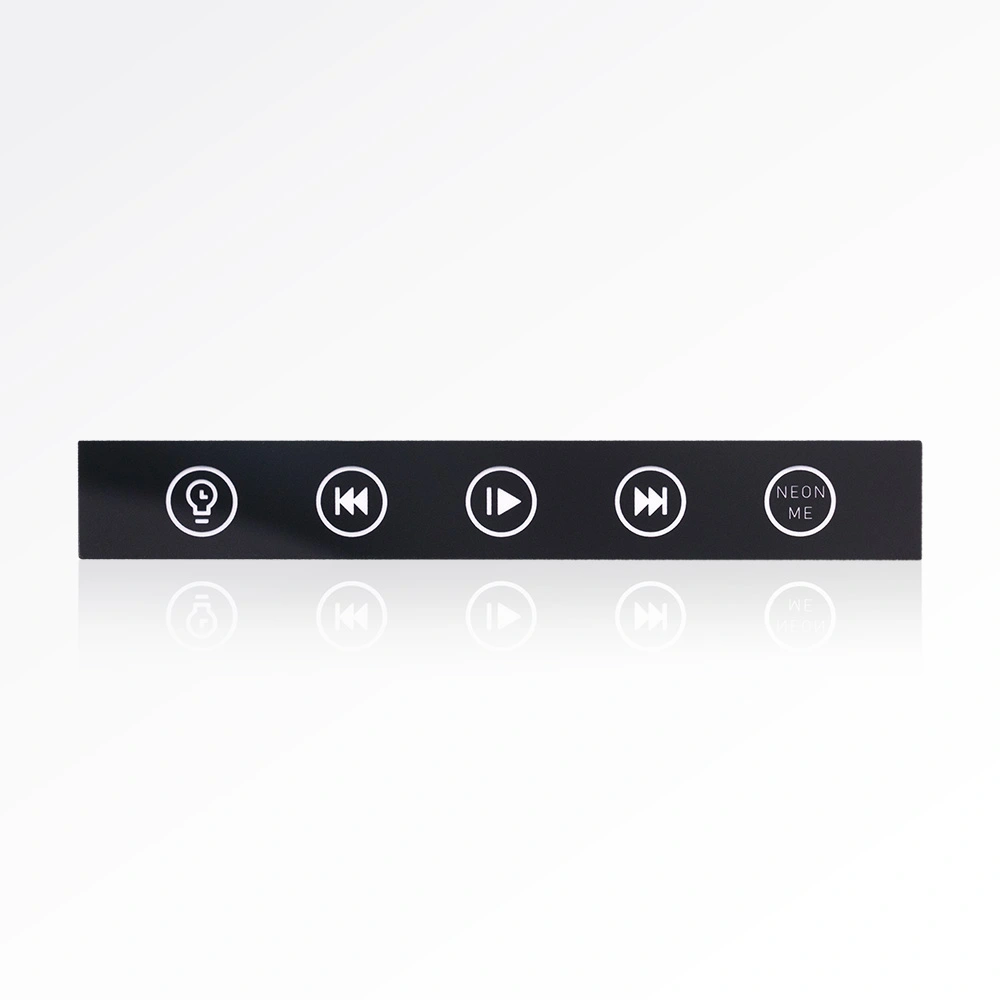
Custom PET Emboss Overlays for Home Appliances
Source durable custom graphic overlays from leading graphic overlay manufacturers. We provide precision embossing and high-resolution printing for industrial use.
View productEvery custom acrylic front panel starts as a customer drawing: a PMMA sheet carrying printed graphics, precise openings, display areas and customized surface finishes. This reference gathers the published specifications an engineering team needs before writing an acrylic front panel for electronic devices into a build package — material and thickness ranges, print and cut envelopes, finish and adhesive options, minimum order quantity and lead times.

A custom acrylic front panel is an acrylic (PMMA) panel manufactured to a customer drawing. The product page lists four elements that can be built into that panel, which is what separates a specification-grade front panel from a plain cut sheet.
Artwork printed directly onto the panel using screen printing or digital printing.
Apertures cut to the drawing so buttons, ports and sensors line up with the enclosure.
Clear zones positioned over screens and indicators while the rest of the panel carries graphics.
Customized finishes selected per application, from anti-glare to frosted.
Scope of this page: it covers the acrylic (PMMA) front panel specification, the decision points that sit behind it, and the quote path. Related PET emboss overlay and button panel options are listed further down for designs that need a different substrate.
These are the published values for the custom acrylic front panel. Everything in the modules that follow is built on this table, so a drawing can be checked against it before a quote request is sent.

Panels are produced to customer drawings, so printed graphics, precise openings and display areas are defined by the artwork you supply rather than by a fixed catalogue pattern.
| Specification | Published Value |
|---|---|
| Material | Acrylic (PMMA) |
| Standard thickness | Acrylic (PMMA) 0.5–10.0 mm (matt, anti-glare, anti-scratch, anti-UV) |
| Max printing size | 1300 × 700 mm |
| Max cut size | 2500 × 1000 mm |
| Color | As requested |
| Double side adhesive | 3M93010, 3M93020, 3M9080, VHB4920, etc. |
| Operating temperature | PC: −40 °C to 90 °C; PMMA: −40 °C to 80 °C |
| Finish | Anti-glare, anti-fog, anti-fingerprint, glossy, frosted surface |
| Printing | Screen printing / digital printing |
| Logistics transportation | DHL, TNT, FedEx, UPS, SF Express etc. |
| Minimum order quantity | 500 pieces (please consult for specific details) |
| Lead time | 7–14 working days |
| Sample lead time | 3–5 working days upon drawing confirmation |
Material and thickness are the two choices that lock in everything else on the drawing. Use the published ranges below to pick a starting point, then confirm the final figure during drawing review.
| If your device… | Start with | Published basis |
|---|---|---|
| Operates between −40 °C and 80 °C | Acrylic (PMMA) panel | PMMA operating temperature is listed as −40 °C to 80 °C. |
| Operates up to 90 °C | Raise the polycarbonate question with the supplier before finalising the drawing | The page lists PC at −40 °C to 90 °C, while this product is quoted in PMMA. |
| Needs a low-profile panel build | Work at the lower end of the published acrylic range | Standard acrylic thickness is published as 0.5–10.0 mm. |
| Needs a heavier panel body across a large opening | Work at the upper end of the same range and confirm with drawing review | Same published 0.5–10.0 mm acrylic range. |
| Requires a matt, anti-glare, anti-scratch or anti-UV face | Order the matching PMMA variant | 0.5–10.0 mm acrylic is offered in matt, anti-glare, anti-scratch and anti-UV versions. |
| Must be colour-matched to the enclosure | Specify colour as requested | Colour is listed as “as requested”. |
Thickness inside the 0.5–10.0 mm range is a drawing-level decision. Send the panel outline, the opening locations and the intended mounting method with your enquiry so the final figure is confirmed against the product rather than estimated.
Two printing methods and five finishes are published for this panel. Match the finish to how the surface will actually be used: how often it is touched, how much light falls on it, and how it will be cleaned.
One of the two printing methods listed on the product page. Share your artwork and order quantity so the supplier confirms whether screen printing applies to your panel.
The second listed printing method. The applicable method is confirmed against your artwork file and quantity when the drawing is reviewed.
Specify where reflective glare over a display area is a design concern.
Specify where condensation on the panel face is a known condition in service.
Specify where operators touch the panel regularly and marks are visible.
Specify where the enclosure design calls for a high-shine decorative face.
Specify where a matte, diffused appearance is preferred over a reflective one.
Name the finish on the drawing, or state the use condition — touch frequency, light exposure, cleaning regime — and the supplier will confirm the matching surface from the published list.
The panel uses one envelope for printing and a larger one for cutting. Knowing both numbers early keeps the layout inside the supplier’s working area and avoids a drawing revision later.
The cut outline of the panel — the outer profile plus the precise openings and display areas — must sit inside this envelope.
Printed graphics are limited to this smaller envelope, so artwork should be arranged within it even when the cut outline is larger.
Buyer decision: if the finished panel is wider than 1300 mm or taller than 700 mm, plan the graphic layout as a defined print area plus unprinted or separately finished regions, and confirm the split with the supplier before releasing the drawing.
The panel can be supplied with double-sided adhesive so it can be applied directly to the enclosure or sub-panel without mechanical fasteners.
Listed double-sided adhesive option.
Listed double-sided adhesive option.
Listed double-sided adhesive option.
Listed double-sided adhesive option; further grades are available (“etc.”).
Buyer decision: state the mounting surface and the panel size on the drawing, then confirm which adhesive grade from the published list suits that assembly. If the design will be fastened mechanically instead, leave the adhesive off and note the fastener positions on the drawing.
Send the panel drawing, the target quantity and the intended operating conditions. The published terms below apply to the custom acrylic front panel, and the sample run is the fastest way to validate fit before volume production.
Quotes and drawing questions: madison@dgspar.com
Keep adjacent product options together for a faster catalog comparison.
Source durable custom graphic overlays from leading graphic overlay manufacturers. We provide precision embossing and high-resolution printing for industrial use.
View product
Custom PET button panels for DACs and audio equipment, made with raised buttons, printed icons, button labels, and adhesive backing.
View product
Custom PET emboss overlays for coffee machines and kitchen appliances, made with raised buttons, printed icons, display windows, and adhesive backing.
View productit is an acrylic (pmma) panel made to a customer drawing, and it can include printed graphics, precise openings, display areas and customized surface finishes. the panel is produced to your artwork rather than from a fixed catalogue pattern.
the material is acrylic (pmma) with a standard thickness range of 0.5–10.0 mm, offered in matt, anti-glare, anti-scratch and anti-uv versions. operating temperature is listed as −40 °c to 80 °c for pmma and −40 °c to 90 °c for pc.
maximum printing size is 1300 × 700 mm and maximum cut size is 2500 × 1000 mm. the cut outline is therefore larger than the printable area, so printed graphics should be arranged inside the 1300 × 700 mm envelope.
printing is available as screen printing or digital printing. finish options are anti-glare, anti-fog, anti-fingerprint, glossy and frosted surfaces. colour is produced as requested.
double-sided adhesive is available in grades including 3m93010, 3m93020, 3m9080 and vhb4920, with further options listed. confirm the grade against your mounting surface and panel size during drawing review.
minimum order quantity is 500 pieces, and the page notes that you should consult for specific details. lead time is 7–14 working days, and sample lead time is 3–5 working days upon drawing confirmation. shipping is handled through dhl, tnt, fedex, ups, sf express and similar carriers.
